Client portals, matter management and legal AI tools
Legal Tech App and Software Design Services
Devoq Design designs legal software that lawyers keep open all day: client portals, case and matter management, document review, e-discovery, billing and AI drafting assistants. UX research with real fee earners, confidentiality and privilege handled in every permission, accessibility to WCAG 2.2 AA, and a design system your legal software development team can build from directly.
Legal software development starts with design lawyers will adopt
Legal tools fail quietly. The product is bought, the training happens, and three months later the firm is back in email and shared drives because the software asked for too much and showed too little. The failures are specific. An associate in a hearing, on a laptop with hotel wifi, needs the latest version of one exhibit and the document viewer loads a thumbnail grid of four hundred files. A paralegal tagging a production set at nine at night loses the privilege flag on a batch because the bulk action gave no confirmation. A client waiting on a settlement opens the portal, sees a status that has not changed in six weeks and phones the partner, who did not know the portal existed. We design to prevent that. Our team maps the real matter lifecycle, from conflicts check to closing invoice, and designs screens around the moments where a lawyer, paralegal or client needs a decision made quickly. Permissions follow privilege, not just job titles. AI output shows its sources and waits for sign-off. Dense data stays scannable on a small screen. For legal tech startups, in-house legal operations teams and firms building their own tools, our product design work delivers screens developers can implement without reinterpreting them.
Our Services
What we design for legal tech startups, in-house legal teams and firms building internal software, from the first portal login to the closing invoice:
Client Portals
Secure document exchange, matter status, messaging, e-signature and invoice payment designed so clients stop calling to ask what is happening.
Case and Matter Management
Matter dashboards, tasks, deadlines, conflicts and time capture organized by how work actually moves through a firm.
Document Review and E-Discovery
Review queues, tagging, redaction and privilege logs designed for long sessions and large volumes without losing the thread. Bulk actions confirm what they will change.
AI Drafting and Research Assistants
Drafting, summarization and research interfaces with visible sources, change tracking and a mandatory lawyer sign-off step.
Billing and Legal Operations Tools
Time, billing, approvals and reporting screens for finance and legal ops teams, with exports that match what the systems already hold.
Features/Why Choose Us
Permissions that follow privilege
Matter-level access, ethical walls, external sharing states and audit trails are designed into the model so confidentiality holds even when a user makes a mistake. The interface shows who will see a document before it is shared, warns when an external party is on the thread, and logs every access.
AI with lawyer sign-off
With 69% of Australian legal professionals using or planning to use generative AI (LexisNexis AU, 2026), we design review steps, provenance and correction into every AI feature. A drafting assistant shows each suggested change against the original, cites the clause or authority it relied on, and does nothing to the document until the responsible lawyer accepts it.
Dense data, still readable
Tables, timelines and document viewers are tuned for long working sessions, keyboard-driven review and small screens in court or on the train. We test review queues at realistic volumes, hundreds of documents rather than ten, and measure whether a reviewer can keep their place after an interruption.
Accessible to WCAG 2.2 AA
Focus order, contrast, labels and screen-reader structure are checked on every component, which also covers the European Accessibility Act for products sold in the EU and ADA Title II expectations for tools used by public legal bodies. Keyboard-first design serves assistive technology users and the paralegal who reviews hundreds of documents a day.
Privilege-Aware Access
AI Output With Sources
Scannable Matter Views
Startup to In-House Teams
Approach Section
Our Approach to Legal Software Design
Discovery and Research
01
Interviews and shadowing with lawyers, paralegals, legal ops and clients, plus a review of the privacy, privilege and AI rules in the markets you sell into. We watch a matter move for a day.
Flows and Prototypes
02
Clickable prototypes for the critical paths: intake, matter setup, review, drafting, approval and billing, tested with practitioners before visual design. Our wireframe design stage carries realistic matter volumes and permission edge cases, such as an expert witness who may see one folder and nothing else.
UI and Design System
03
A component library with every state defined, accessible color and type, and documentation that lets your engineers build screens we have not drawn yet. Tables, timelines, document viewers and permission pickers get the most attention.
Usability Testing
04
Task-based sessions with target users, including assistive technology users, measured on completion and error rate, with fixes before handoff. Lawyers test on the laptop they take to court; clients test on their own phones.
Handoff and Iteration
05
Developer-ready files, tokens and specs, design support during the build, then analytics-led iteration as adoption data arrives. For startups shipping a first release, our MVP development team can build the front end alongside the design.
Why Devoq Design?
We make the collaboration of people and interface more intensive and exciting.
Legal Tech Experience
Portals, matter tools and AI assistants designed for startups and in-house teams with adoption as the measure of success. If fee earners drift back to email, the design has failed.
Confidentiality Built In
Privilege, ethical walls and audit requirements shaped into the permission model from the first wireframe. The interface shows the consequence of a sharing action before it happens.
Practitioner Research
We test with working lawyers and paralegals, not proxies, so the product fits a billable day.
Developer-Ready Output
Design systems, tokens and specs that your legal software development team can implement without a second interpretation round.
Built to Integrate
Designs that account for practice management, document management, e-signature, court filing and billing integrations so screens match real data. We design against the fields your systems actually hold.
AI Speed, Senior Review
AI drafts flows, copy and research summaries about 5x faster; senior designers decide every screen that ships.
Discover Our Case Studies
Explore Compelling Case Studies: Real Solutions, Real Success Stories
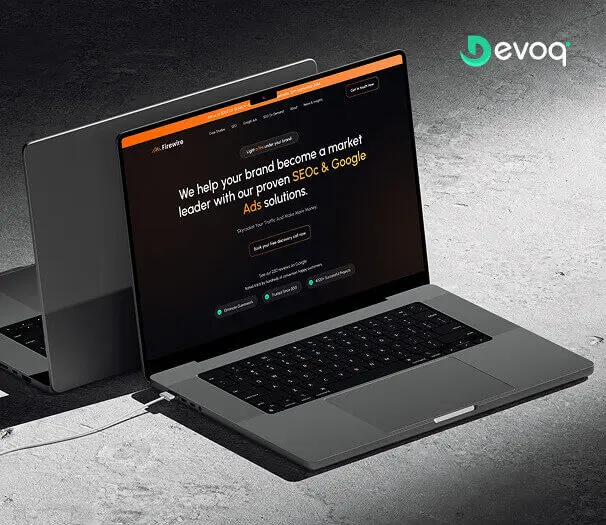
We crafted a sleek and intuitive website for Firewire, a digital marketing company specializing in SEO and Google Ads, to showcase their expertise and results. Our design highlights their data-driven approach to connecting businesses with their audience.
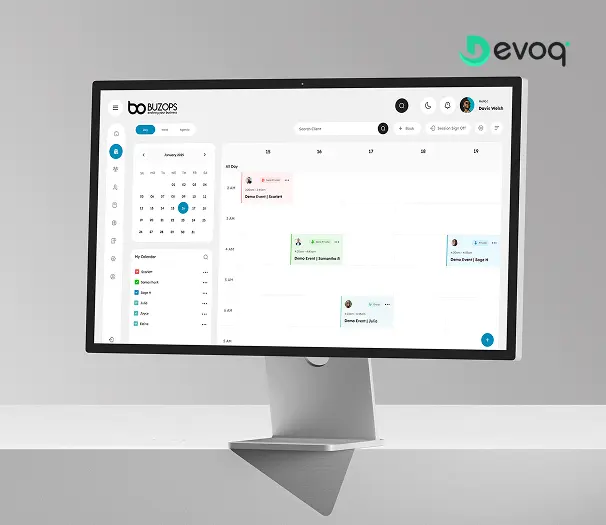
We created a clean and scalable SaaS experience for Buzops, helping businesses manage operations, automate workflows, and improve customer engagement through a unified platform.
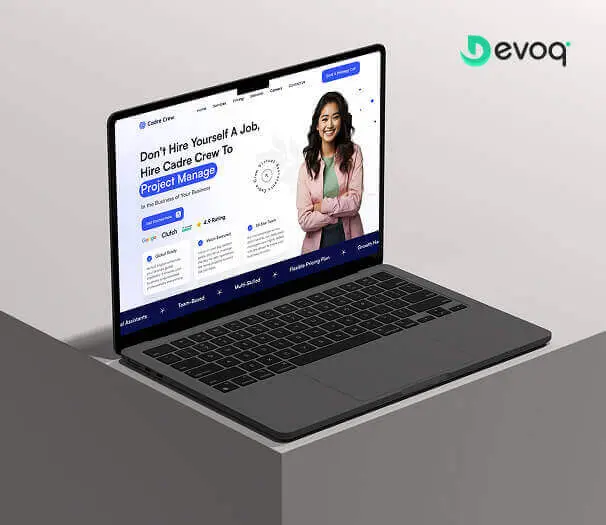
We designed and developed a user-friendly website for Cadre Crew, a company that helps growing businesses scale operations with virtual assistant and project management services. Our goal was to create an intuitive and efficient experience for their users.
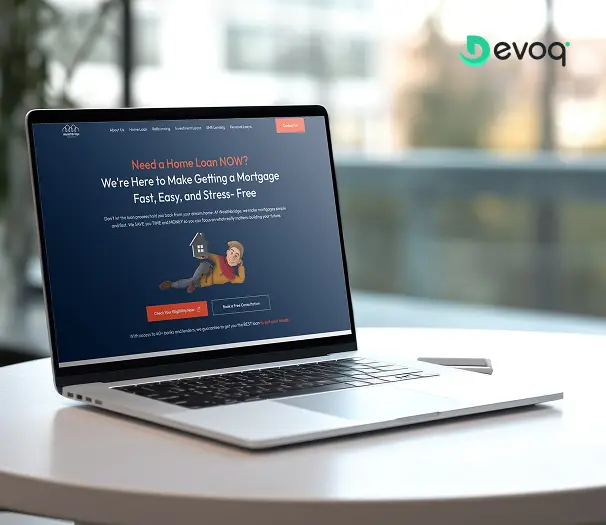
We built a modern online platform for Wealth Bridge, a mortgage and loan comparison service. The goal was a credible, easy-to-use experience that makes complex loan information simple. With a focus on clarity, performance and smooth interaction, the site helps borrowers compare home-loan products and choose the right one with confidence.
We created a compassionate and accessible digital experience for AngelCare, simplifying care discovery, improving NDIS understanding, and empowering users to access personalized support services with ease.
User research with lawyers, paralegals, legal ops staff and clients, journey and permission mapping, wireframes and clickable prototypes, visual design, a documented design system, accessibility checks and developer handoff for portals, matter management, document review, billing and AI drafting products. Front-end development with your engineers or ours can be included.
Do you work with legal tech startups or only law firms?
Both, plus in-house legal operations teams. Startups usually need a product that practitioners will trial and keep; in-house teams need tools that replace spreadsheets and email without a long training program. The research method is the same for each; the integration and compliance scope changes.
How do you design AI features for legal products?
Every AI feature gets a visible source trail, change tracking against the original document and a sign-off step owned by the responsible lawyer. Intake chatbots are limited to qualification and scheduling. We also plan for the EU AI Act transparency rules that apply from August 2026 where you sell in Europe.
How do you handle confidentiality and privilege?
Matter-level permissions, ethical walls, external sharing states, redaction and audit trails are designed into the data model and the interface together, aligned with GDPR and UK GDPR for European users, the Australian Privacy Act, and professional conduct rules in the US and Australia. We provide design evidence; your counsel confirms the policy, and we never give legal advice.
Can you redesign our existing legal software or client portal?
Yes. We run a UX audit and analytics review to find where users abandon tasks or fall back to email, then redesign the flows that are measurably hurting adoption while keeping the data model and integrations your engineering team has already built. The redesign ships in phases behind feature flags, matter views and the portal first.
How much does legal software design cost?
It depends on the number of user roles, screens and integrations, and on whether research and testing are included. A client portal is a smaller scope than a matter platform with review, billing and AI drafting. We quote a fixed price for a defined release and a monthly retainer for a product that keeps evolving, after a short discovery call.
How long does a legal software design project take?
The drivers are the number of roles and screens, the practice management, document and billing integrations that shape the data, whether practitioner testing is in scope, how many jurisdictions the permission and privacy review covers, and whether we build as well as design. A portal moves faster than a full matter platform. Releases are planned so engineering starts on the first flows while later ones are still in testing.
Will the designs work for mobile and for court, and who owns them?
Yes. Matter views, document viewers and approvals are designed for a phone or small laptop with poor connectivity, with the actions a lawyer needs in a hearing reachable in one or two taps. You own everything from the first week: Figma files, prototypes, research recordings and documentation live in your own accounts and the contract assigns the IP to you.