Devoq Design provides education app design and development for web, iOS and Android: learning apps with clear progress, student and parent portals, teacher tools for planning and feedback, and tutoring or course platforms. Built to be learned in a minute, with privacy and accessibility planned from the first wireframe.
EdTech app development with design that keeps learners going
EdTech products win or lose on the second week. A learner who understands what to do next, sees progress and gets useful feedback returns; one who meets a crowded home screen and unclear deadlines drifts away. The failures are specific. A secondary student opens the app on a school tablet with a flat battery warning and cannot find today's task among last term's. A teacher marking at the kitchen table at 10pm needs four taps per student to leave a comment and stops after the first five. A parent gets a push notification about a missed assignment but the app will not show which one without a second login. A tutor on a video call cannot share the worksheet because the file viewer needs a download. We design around those moments: onboarding that gets to a first lesson quickly, navigation that keeps assignments and feedback in one place, motivation that supports learning rather than streak anxiety, and teacher workflows that trim admin. For startups we often begin with an MVP that proves the learner loop before the full platform is built, the route the BTC University course product took. A documented design system keeps new features consistent as the product grows.
Our Services
Product design and development for learning platforms, student portals, tutoring services and EdTech startups:
Learner Experience and Onboarding
Signup, placement, first lesson and progress views designed so learners know what to do next and feel momentum early, with the first real lesson reached in minutes rather than after a tour.
Teacher and Instructor Tools
Lesson planning, assignment creation, marking, feedback and class insights designed to save minutes in every working day, with marking done on one screen and comments reusable across students.
Student and Parent Portals
Timetables, grades, attendance, messages, payments and announcements gathered in one calm, role-aware portal, so a parent can act on a notification without a second login or a phone call.
Live Classes, Tutoring and Courses
Booking, video lesson rooms, resources, quizzes and certificates for tutoring marketplaces and course businesses, designed so a lesson can start on time on an ordinary laptop or phone.
AI Tutors and Assistants
Practice generation, hints, summaries and feedback drafts with teacher oversight, age-appropriate guardrails and visible sources, so a learner knows what is AI, a teacher can switch it off, and nothing is graded unseen.
Features/Why Choose Us
Progress that motivates
Goals, milestones and feedback loops designed to encourage steady learning without pressure tactics or dark patterns. A good progress screen shows what was done and what one next step is; a bad one shows a broken streak and a leaderboard, and a learner who was away for a week decides not to come back.
Child-safe and age-aware
Consent, parental controls and minimal data collection designed with COPPA and FERPA in mind, and GDPR protections for European users. We design what a child sees, what a parent can see and control, and what the product never asks for, and we write those decisions down so your counsel can review them.
Works on the devices students have
Layouts, offline behavior and data use planned for shared tablets, older phones and school networks. Lessons cache ahead, work saves locally when the connection drops, and large video is never the only way to learn something, because a school network at 9am is not a quiet office line.
AI under teacher control
HEPI and Kortext found UK student generative AI use rose from 66% to 92% in 2025; we design features with clear labels and teacher settings. AI output is marked as such, hints can be limited per assignment, and feedback drafts are reviewed before a student sees them, which also gives schools the paper trail their policies ask for.
K-12 Learning Apps
Higher Education Portals
Tutoring and Course Platforms
Teacher Productivity Tools
Approach Section
Our Approach to EdTech App Design
Discovery and Research
01
Observation and interviews with learners, teachers and parents, plus review of retention data, support requests and school policies. We watch a lesson and a marking session where we can, and we read the one-star reviews that name a specific screen, because those are the cheapest research available.
Flows and Prototypes
02
Clickable prototypes for onboarding, lessons, assignments, feedback and parent views, tested with real users on real tasks. The first lesson, the marking flow and the parent notification path are prototyped first, since those decide whether the product survives the second week.
UI and Design System
03
Age-appropriate components, accessibility rules and documented states delivered in the format your engineers consume. Components are specified for web, iOS and Android, with reading level, tap size and tone set per audience rather than one style for everyone.
Build and QA
04
Front-end and mobile development with your team or ours, tested on school devices, slow connections and assistive technology. We test on shared tablets with managed profiles, on an older Android phone, with captions on and with a screen reader, not only on a new laptop.
Launch and Optimization
05
Instrumented release, then activation, completion and teacher adoption improvements guided by live data. After launch, usability testing on the screens with the highest drop-off feeds a prioritized backlog, planned around the term calendar.
Why Devoq Design?
We make the collaboration of people and interface more intensive and exciting.
Learning-First Design
Interface choices judged by whether they help someone learn, not by screen time. We agree completion and adoption measures with you before design starts and review them after each release.
Safe for Young Users
Privacy, content controls and parent visibility treated as core features. What a child sees, what a parent controls and what the product never collects are decided in the first wireframes.
Teacher Adoption Focus
Tools that fit between lessons, because an unused teacher tool is a failed product. We time the marking and planning tasks in the prototype and treat every extra tap as something to remove.
Accessible to WCAG 2.2 AA
Captions, contrast, keyboard use and screen-reader support checked throughout. Learners with dyslexia, low vision or a motor impairment are included in testing, not only in the checklist.
Policy Aware
RAND reports only 19% of teachers work in schools with an AI policy, so we build settings schools can adapt to their own rules. Features can be switched per class, and defaults are conservative.
AI Speed, Senior Review
AI drafts about 5x faster, with senior review of every screen. AI helps us move quickly on drafts and research, while a senior designer reviews each screen before it is handed over.
Discover Our Case Studies
Explore Compelling Case Studies: Real Solutions, Real Success Stories
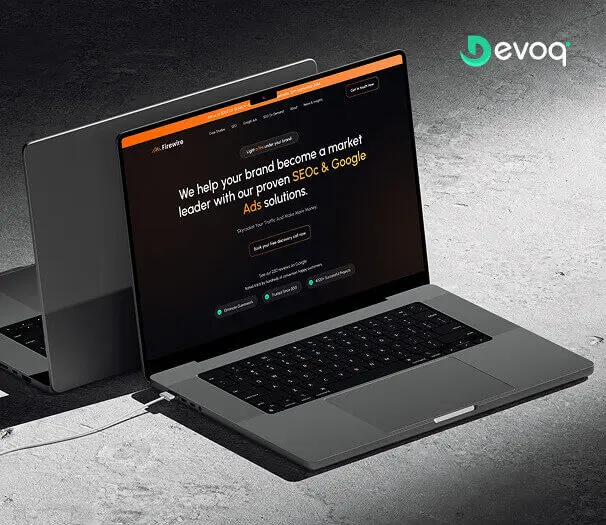
We crafted a sleek and intuitive website for Firewire, a digital marketing company specializing in SEO and Google Ads, to showcase their expertise and results. Our design highlights their data-driven approach to connecting businesses with their audience.
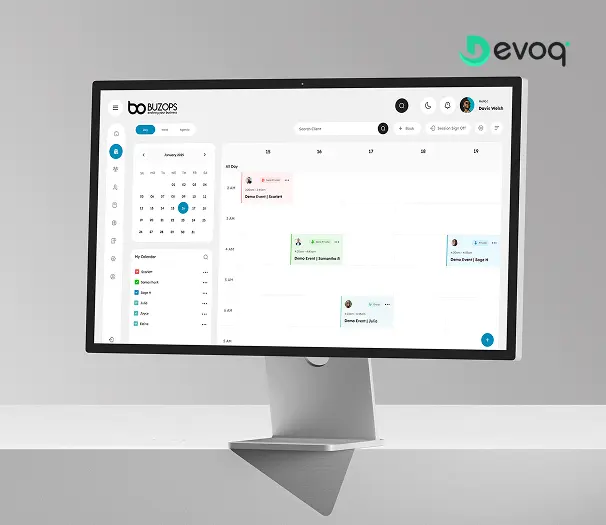
We created a clean and scalable SaaS experience for Buzops, helping businesses manage operations, automate workflows, and improve customer engagement through a unified platform.
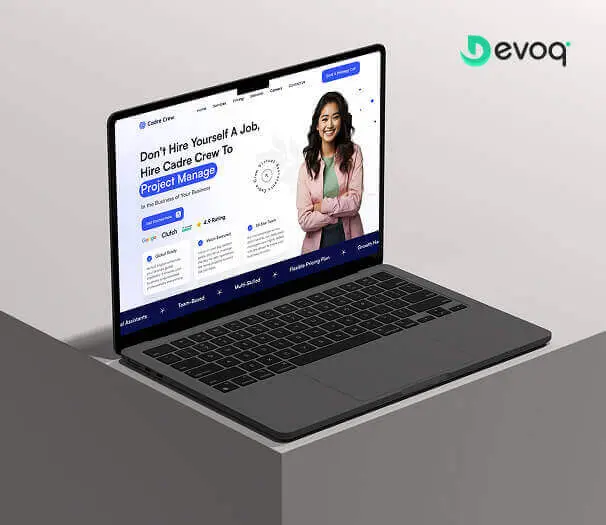
We designed and developed a user-friendly website for Cadre Crew, a company that helps growing businesses scale operations with virtual assistant and project management services. Our goal was to create an intuitive and efficient experience for their users.
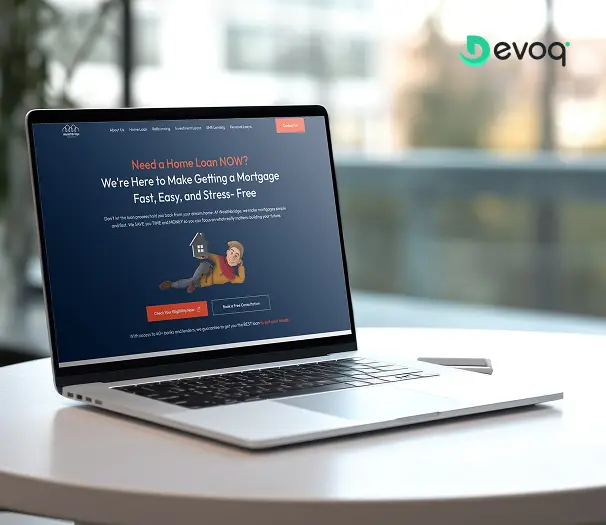
We built a modern online platform for Wealth Bridge, a mortgage and loan comparison service. The goal was a credible, easy-to-use experience that makes complex loan information simple. With a focus on clarity, performance and smooth interaction, the site helps borrowers compare home-loan products and choose the right one with confidence.
We created a compassionate and accessible digital experience for AngelCare, simplifying care discovery, improving NDIS understanding, and empowering users to access personalized support services with ease.
What do your education app development services include?
Research with learners, teachers and parents, information architecture, clickable prototypes, visual design, a design system, front-end and mobile development with your engineers or ours, accessibility checks to WCAG 2.2 AA, analytics setup and post-launch optimization. Backend, LMS and student information systems are usually yours, and we design to what they can provide.
Which education apps do you design?
Learning apps, student and parent portals, teacher tools, tutoring and course platforms, LMS interfaces and admin consoles for web, iOS and Android. They can be designed as one product with learner, teacher and parent roles, or as separate apps sharing a design system, which is often better when teachers work on laptops and learners on tablets and phones.
Can you redesign our existing EdTech app?
Yes. We audit the app, reviews and analytics, then redesign the flows where learners or teachers drop off, often onboarding, navigation and feedback, while keeping your backend and content. If the codebase is sound we work within it with your engineers; if it is holding the experience back we say so with evidence and set out the options before anything is rebuilt.
How do you design AI tutors and assistants responsibly?
Gallup and Walton found 60% of US K-12 teachers used AI tools in 2024-2025. We give teachers control, label AI output clearly, show sources and add guardrails suited to the learner age group. Where an AI integration drafts feedback or practice questions, a teacher reviews before a student sees it, and every feature can be switched off per class to match local policy.
How much does EdTech app development cost?
It depends on the user roles, modules, platforms and integrations, and whether we also build the front end. After a short discovery call we scope a fixed price for a defined first release, or a monthly retainer for platforms that keep adding features each term. For startups we often recommend scoping an MVP first, so the learner loop is proven before the full roadmap is funded.
How long does an EdTech app take to design and build?
Timeline is driven by the number of roles and modules, the platforms in scope, how many systems the app integrates with, whether we build as well as design, and how much usability testing is included. An onboarding and feedback redesign on an existing app is quick; a new platform with teacher, learner and parent roles takes longer. We plan releases around term starts.
How do you handle children’s data?
We minimize collection, design verifiable parental consent steps for users under 13 with COPPA in mind, and apply FERPA and GDPR principles to access and retention, with the Australian Privacy Act and NZ Privacy Act 2020 considered for products sold there. Every data field is justified in the design documentation. Your counsel confirms the final compliance position, and we do not provide legal advice.
Do you integrate with existing LMS and single sign-on?
Yes. We design around the LMS, student information system and sign-in providers you use, so learners are not asked to create yet another account and grades flow back to where teachers already look. We map what each system can supply before a screen depends on it, and where a system cannot provide something the flow needs we design an honest alternative.
Contact Us
Building or rebuilding a learning product? Let’s talk